SQL Server TLS10 Error
This page describes how to resolve TLS10 error when adding a SQL Server DataSource or starting a DataJob using a SQL Server instance.
Issue
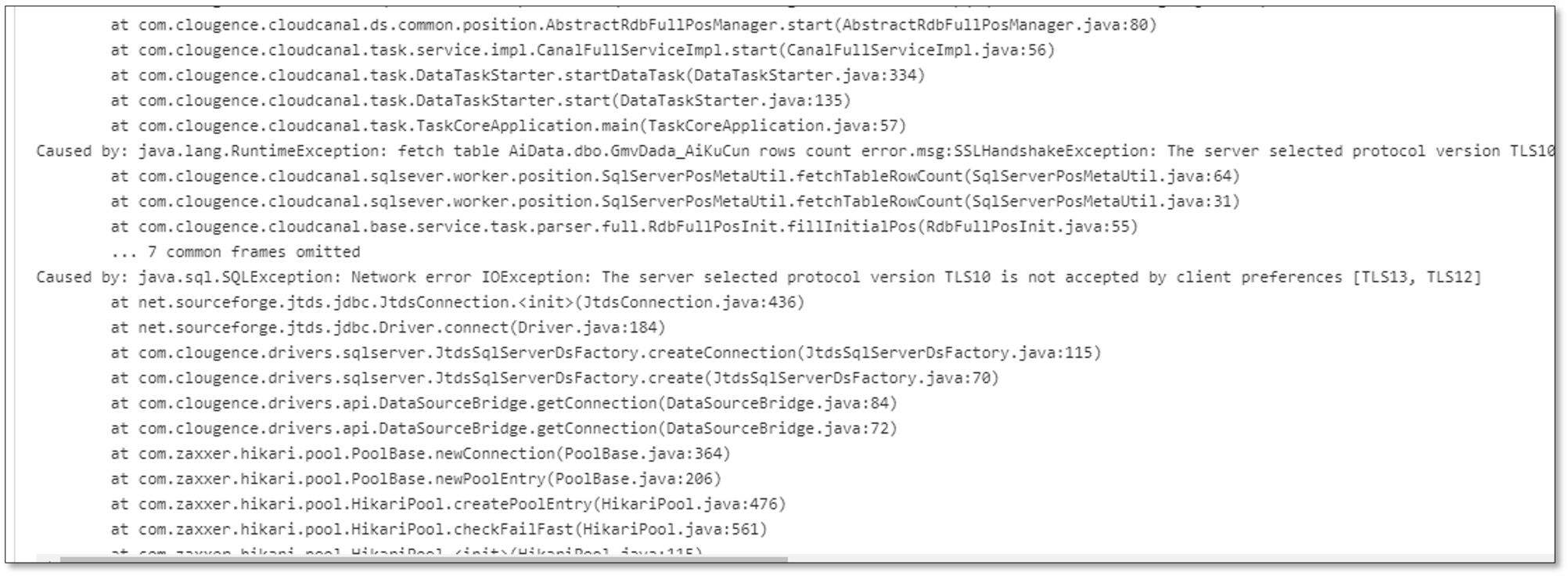
The following TLS error occurs when adding a SQL Server DataSource or starting a DataJob using a SQL Server instance.
Cause
- By default, the driver for Microsoft SQL Server enables Secure Sockets Layer (SSL) encryption.
- Earlier versions of Microsoft SQL Server doesn't support TLS 1.2.
- Several vulnerabilities have been reported against TLS 1.0/1.1, and thus TLS 1.0/1.1 are deemed insecure. By default, JDK disables them, leading to an error.
Solutions
Solution 1
- Enter the Worker container.
- Edit the file $JAVA_HOME/jre/lib/security/java.security (find / -name "java.security").
- Modify the values behind
jdk.tls.disabledAlgorithms=. Delete TLSv1, TLSv1.1 and 3DES_EDE_CBC. - Restart the Worker process.
Solution 2
Use SQL Server 2017 or later versions.
Solution 3
Upgrade to enable TLS 1.2 support for Microsoft SQL Server.